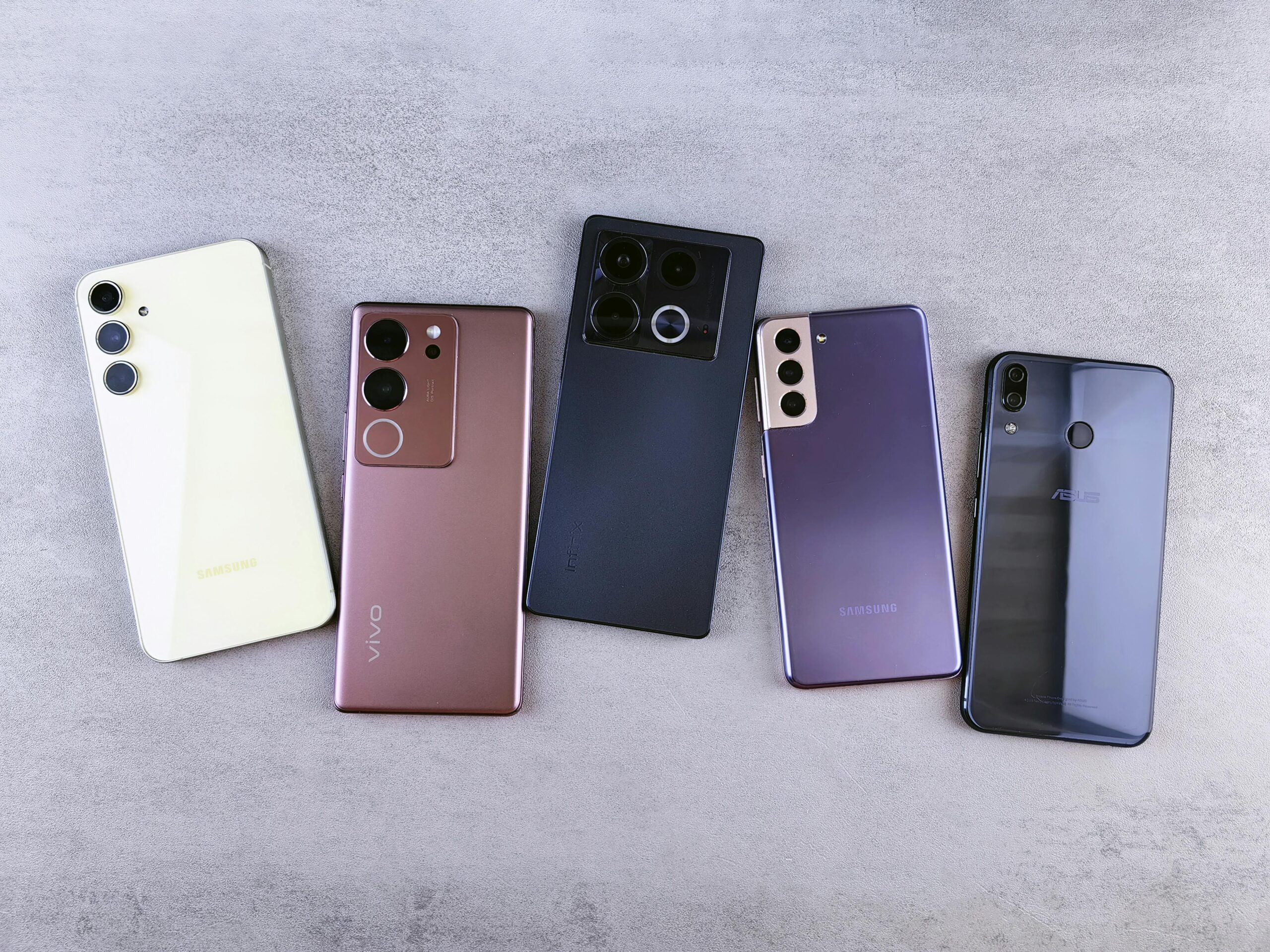
Best Smartphones for Australians Over 60 in 2026 — An Honest Guide
Choosing the right smartphone doesn’t have to be overwhelming. Whether you’re buying your first smartphone, upgrading an old device, or helping a parent or grandparent find the right phone — this guide cuts through the confusion and tells you exactly what to look for and which phones we recommend for Australians over 60 in 2026.
What to Look for in a Smartphone for Over 60s
Before looking at specific phones it helps to know what actually matters for older Australians. The priorities are quite different from what younger buyers look for.
Large clear screen A bright high contrast screen that’s easy to read in all lighting conditions — including outdoors in the Australian sun — is the most important feature for most older users.
Simple interface The best phones for older Australians either have a naturally simple operating system or offer an Easy Mode that reduces clutter and makes the most important features immediately accessible.
Loud clear audio Clear call quality and loud speakerphone are essential — particularly for anyone with mild hearing loss.
Long battery life Nobody wants to charge their phone twice a day. A battery that lasts a full day with normal use is a minimum requirement.
Durability Phones get dropped. A phone with a solid build quality and ideally some water resistance saves expensive repair bills.
Accessibility features Both Apple and Samsung offer excellent built in accessibility features — larger text, high contrast display, screen reader, simplified interface — that make smartphones significantly easier to use for older adults.
Scam protection Older Australians are disproportionately targeted by phone and text scams so built in scam call filtering is worth considering when choosing a phone.
Our Top Smartphone Recommendations for Australians Over 60
1. Apple iPhone SE — Best for Simplicity
The iPhone SE is our top recommendation for Australians over 60 who are new to smartphones or want the simplest possible experience.
Why we recommend it:
- The iPhone operating system is widely considered the most user friendly available
- The iPhone SE has retained the physical home button and its speedy performance is paired with some great accessibility options
- If your family uses iPhones — FaceTime video calling is built in and works beautifully
- Apple provides excellent long term software support
- Available at Telstra, Optus, and Vodafone stores across Australia with in store setup assistance
Best for: Anyone new to smartphones, people who want maximum simplicity, anyone whose family uses iPhones
Available at: https://www.jbhifi.com.au/products/apple-iphone-se-64gb-black
2. Samsung Galaxy A Series — Best Android Option
For Australians who prefer Android or find iPhones too expensive the Samsung Galaxy A series is our top recommendation.
Why we recommend it:
- Samsung’s Easy Mode transforms the interface with larger icons, simpler menus, and less visual clutter
- Excellent value — significantly cheaper than premium Samsung models with most of the same features
- Large bright screen — easy to read in all conditions
- Long battery life
- Wide availability across Australia with excellent after sales support
Best for: Anyone who finds iPhones too expensive, people who prefer Android, anyone who wants a large screen at a reasonable price
Available at: Amazon products
3. Samsung Galaxy S24 — Best Premium Option
For Australians over 60 who want a premium smartphone with all the latest features the Samsung Galaxy S24 is an excellent choice.
Why we recommend it:
- Sleek and modern but the features can be customised to make it simple and straightforward to use with high contrast display that’s easy to read, long lasting battery with fast charging, and customisable fonts, accessibility features, and larger icons
- Excellent camera for photos of family and grandchildren
- Top tier build quality and durability
- Long software support life
Best for: Tech confident over 60s who want the best available, anyone who uses their phone heavily for photos and video
Available at: JB Hi-Fi
iPhone vs Android — Which Is Better for Seniors?
This is the most common question we get about smartphones and the honest answer is — it depends on your situation.
Choose iPhone if:
- You’re new to smartphones and want maximum simplicity
- Your family and friends use iPhones — FaceTime makes video calling seamless
- You want long term software support and security updates
- You’re comfortable spending a bit more
Choose Android (Samsung) if:
- You prefer a larger screen at a lower price point
- You already use Google services like Gmail
- You want more flexibility and customisation
- Budget is a consideration
Both platforms have excellent accessibility features and either will serve you well. The most important thing is choosing the one that feels most natural to you — if possible visit a store and try both before deciding.
Tips for Setting Up Your New Smartphone
Once you have your phone these simple steps will make it much easier to use:
Increase the text size Go to Settings → Display → Font Size and increase to the largest comfortable size. Makes everything easier to read instantly.
Turn on Easy Mode (Samsung) Go to Settings → Display → Easy Mode. Simplifies the entire interface with larger icons and fewer options.
Turn on larger text (iPhone) Go to Settings → Accessibility → Display and Text Size → Larger Text. Drag the slider to your preferred size.
Set up emergency contacts Both iPhone and Android allow you to set up emergency contacts that can be called without unlocking the phone — an important safety feature worth setting up.
Enable Silence Unknown Callers (iPhone) Go to Settings → Phone → Silence Unknown Callers. Significantly reduces scam calls reaching you.
Enable Google spam protection (Android) Open the Phone app → Settings → Caller ID and Spam → turn on Filter Spam Calls.
Where to Buy and Get Help in Australia
JB Hi-Fi and Harvey Norman Both offer in store demonstration and setup assistance. Staff can help you set up your new phone and show you the basics before you leave the store.
Telstra, Optus, and Vodafone stores All major telcos offer in store setup assistance and can help you transfer contacts and photos from your old phone.
Be Connected Program The Australian Government’s free Be Connected program offers free technology help for older Australians including smartphone setup assistance at community locations across Australia. 🌐 beconnected.esafety.gov.au 📞 1300 795 897
The Bottom Line
The best smartphone for an Australian over 60 is the one that fits your needs, budget, and comfort level. For most people we recommend starting with either an iPhone SE for maximum simplicity or a Samsung Galaxy A series for the best value Android experience.
Don’t be intimidated — modern smartphones are more user friendly than ever and with the right setup and a little practice most people are comfortable within a week or two.